TABLE OF CONTENTS
This dashboard lists all job titles and their required certificates.
Purpose
Quickly create job titles and assign them to employees (editable only for non-synced records).
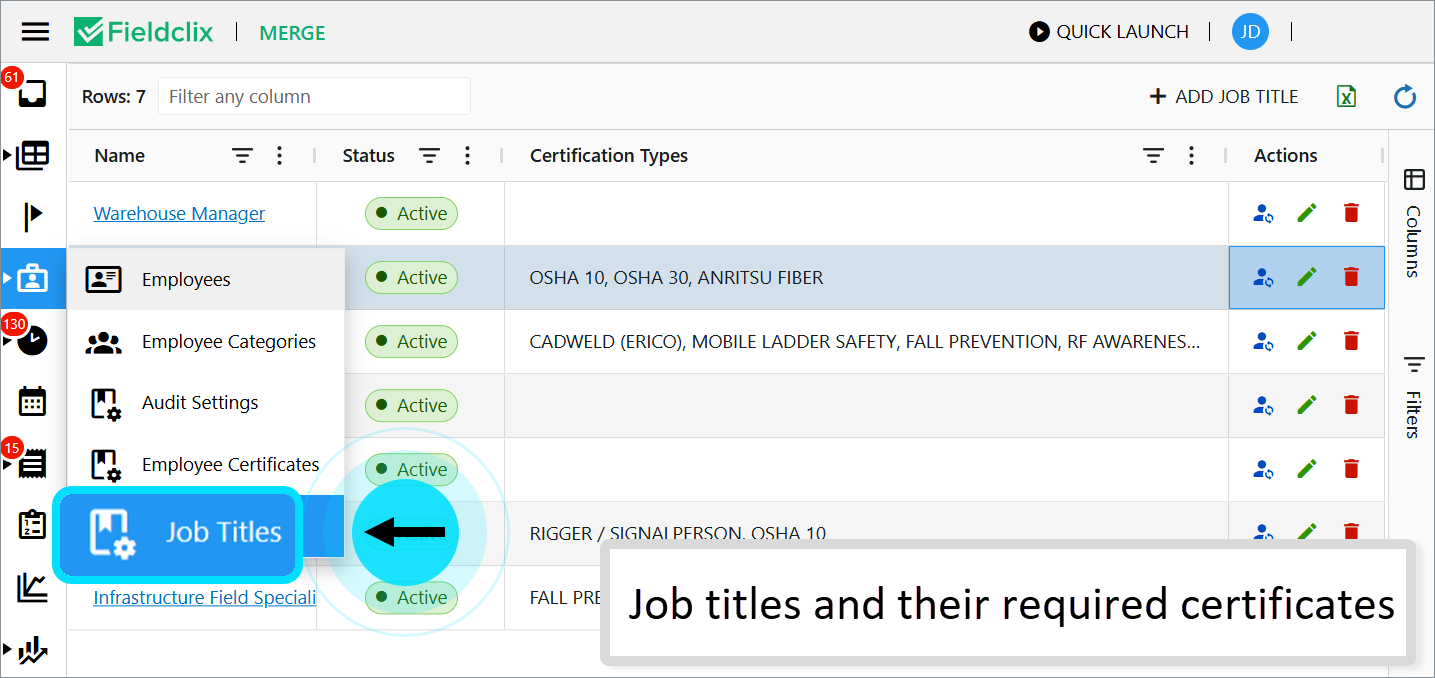
Access
HR Managers only.
Key Features
- Automatic Application: Certificate requirements from a job title apply automatically to newly created employees after saving their records. Updating an employee's job title also refreshes these requirements instantly.
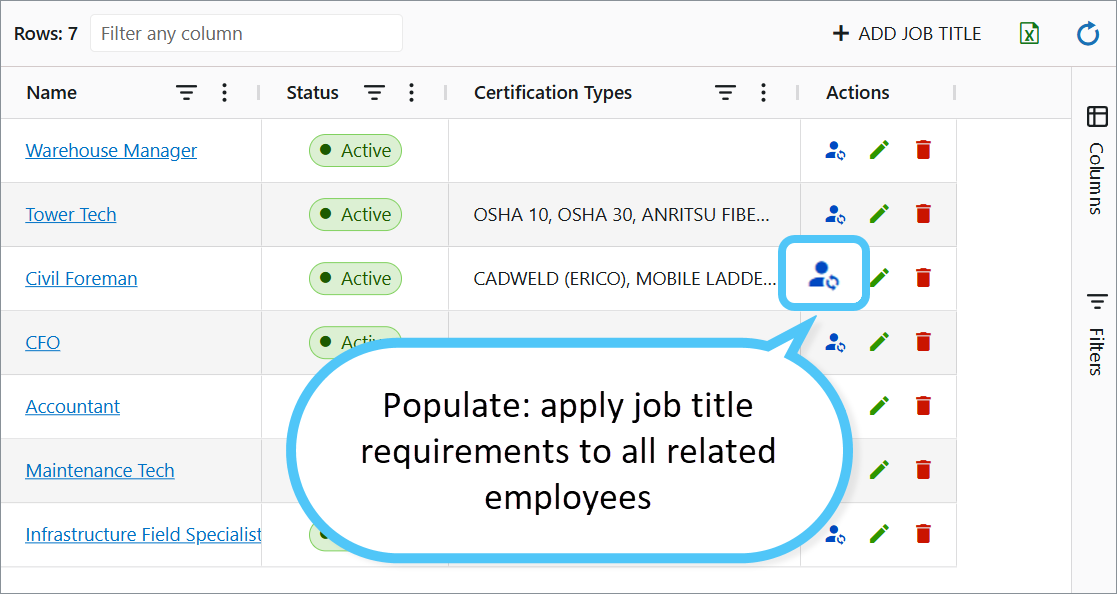
- Update Existing Employees: Use the Populate option to instantly apply job title requirements to all related employees.
Create a Job Title
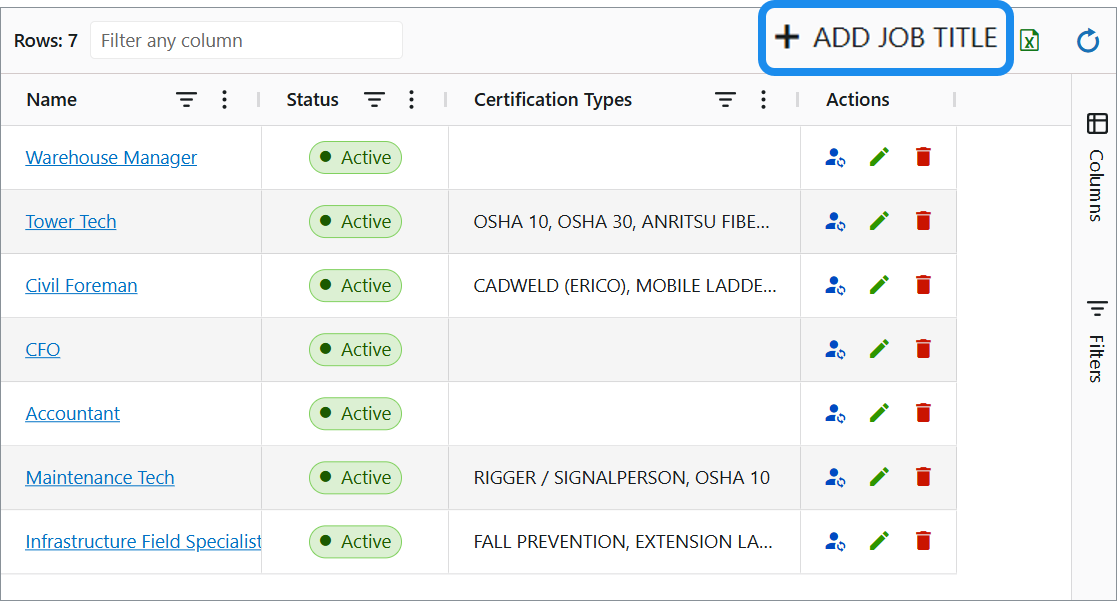
- Click the + ADD JOB TITLE button.
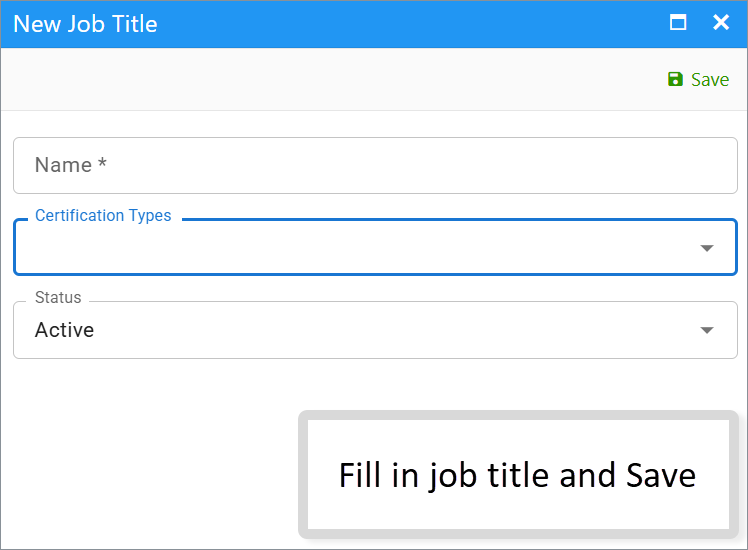
- Enter the Name in the opened window.
- From the drop-down list, select certificate types to create requirements for.
- Click Save.
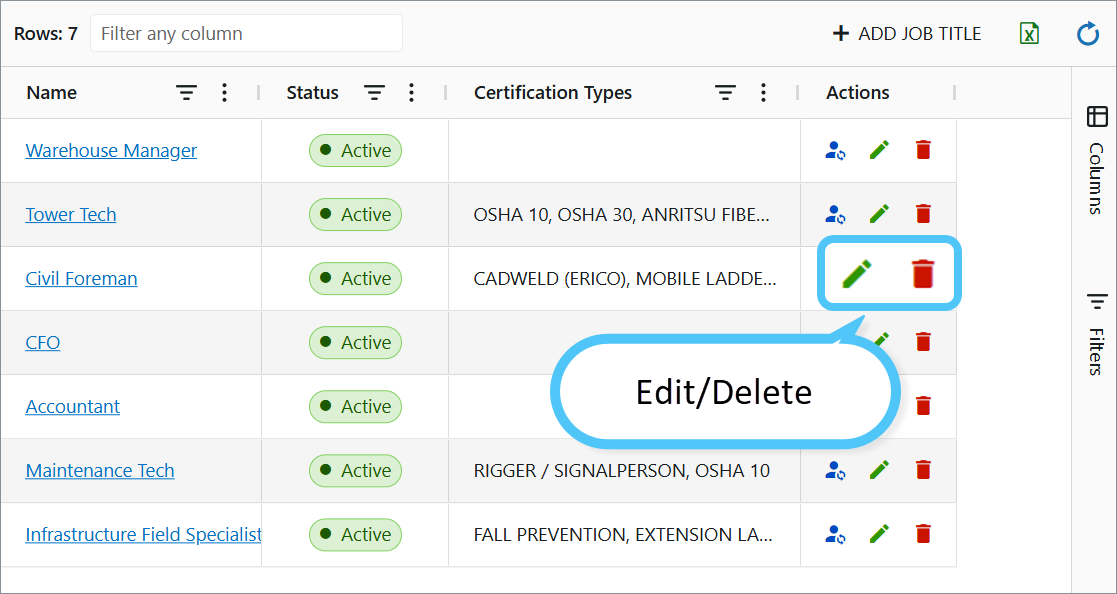
Edit/Delete a Job Title
Edit: Click the Pencil icon to modify details—for example, update required certificate types or change the job title status (Active/Closed).
Delete: Permanently remove it if no longer needed.
Was this article helpful?
That’s Great!
Thank you for your feedback
Sorry! We couldn't be helpful
Thank you for your feedback
Feedback sent
We appreciate your effort and will try to fix the article